Discover Time-Saving with GP-Pro EX HMI

Looking for industrial HMI in Malaysia? Pro-face GP-Pro EX offers User-Friendly, Powerful & Digital HMI Solution for Industrial Automation.

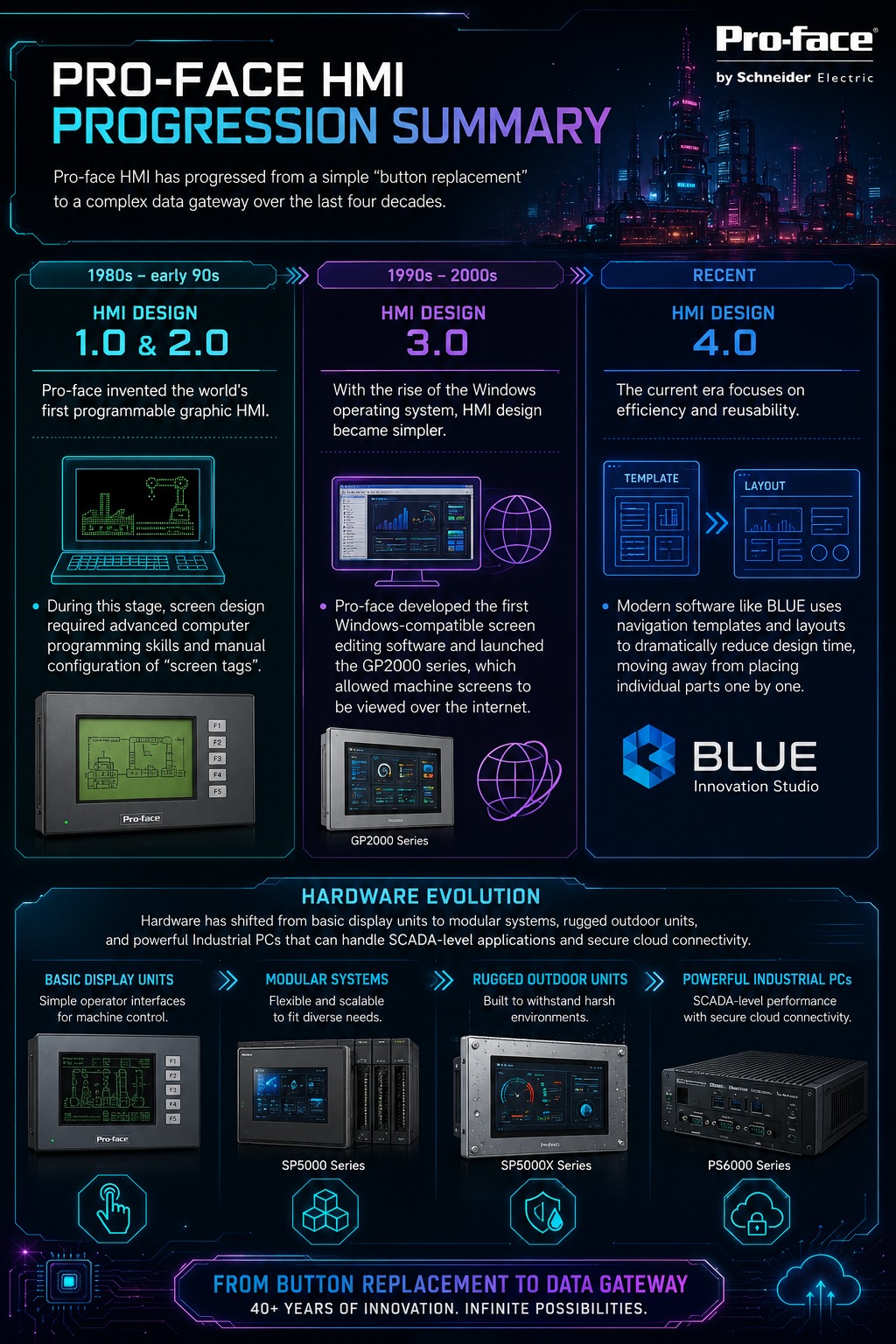
Most HMI software forces you to choose: upgrade your hardware, or keep your existing screens and logic. GP-Pro EX removes that trade-off entirely.
Project files built on the legacy GP-PRO/PBIII editor convert directly to GP-Pro EX — fully compatible with current hardware, with zero re-engineering required. Your team's work is protected for the long run.
Example GP PRO EX from our previous project
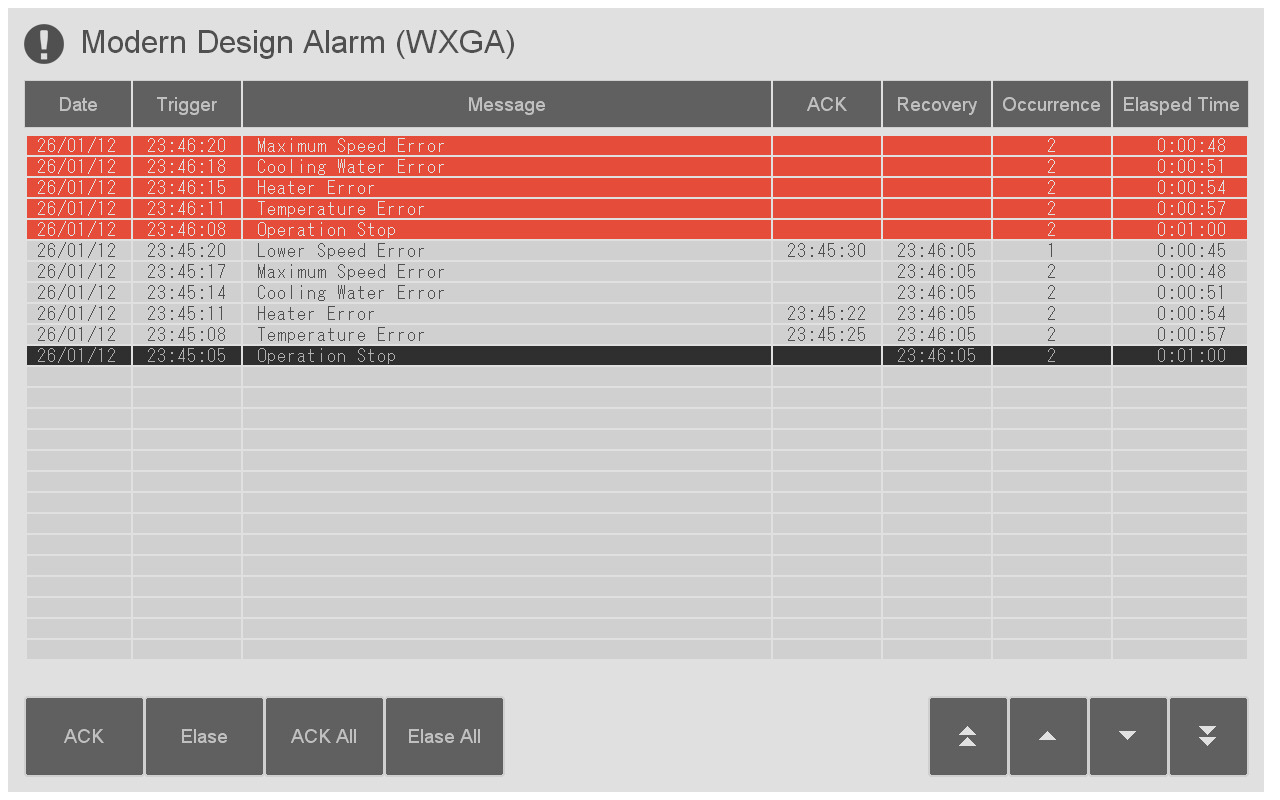
Overview:
This is a simple alarm summary that suits modern design screens.
It considers color universal design, and only alarm occurrence messages are colored red.
Target Model:
All HMI models that support GP-Pro EX
Target Size:
Recommended for use of more than 800 by 600 pixels.
Remarks:
- If you want to display separator lines for each column, you will need to configure the screen. Please refer to the included documentation for details.
- This package file is not available in GP-Pro EX versions before 5.00.000.
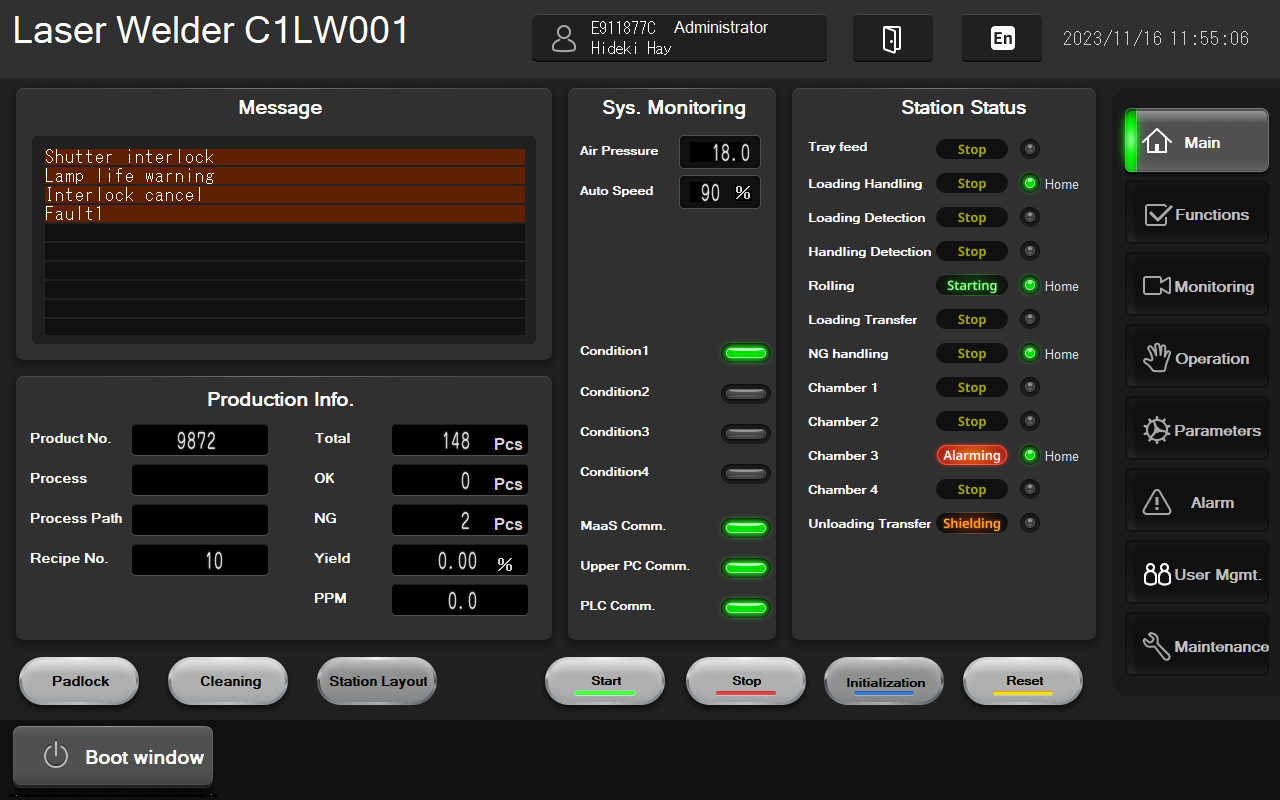 Overview:
EV Battery Template designed for Electrode/Coating/Rolling/Lamination applications, offering:
- Intuitive usability for streamlined operations
- Reduced engineering effort to accelerate deployment
- Enhanced situational awareness for improved monitoring and control
Target Model:
ST6600WAD (WXGA)
Software version:
GP-Pro EX Ver.4.09.400 or later
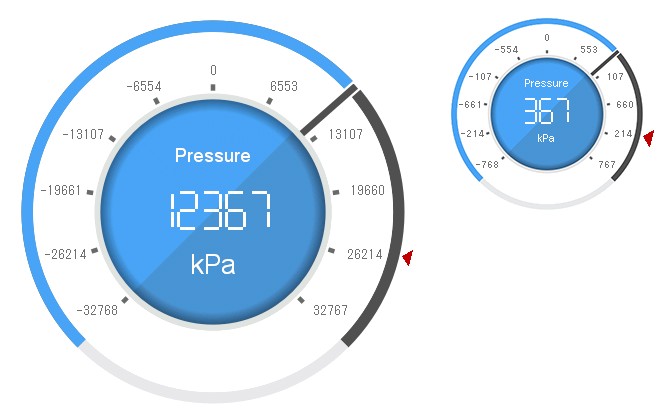
Overview:
This is a pie chart that combines arrow and digital types. This gauge will fit the white background.
You can choose from two sizes: Large and Small.
You can adjust the minimum and maximum ranges, and the amount of movement of the pie chart will automatically change accordingly.
Target Model:
GP4000, SP5000, SP5000X, ST6000, STM6000, PS5000, PS6000, PC/AT
Target Size:
For the large gauge, recommended for use with more than 800 by 600 pixels.
For the small gauge, recommended for use with more than 640 by 400 pixels.
Details:
When you place this gauge on the screen, the following symbol variables and D-Script will be automatically registered in your project.
Please refer to the included simple manual for instructions on how to change the settings.
- (Symbol Variable) SD_Gauge11
- (Symbol Variable) SD_Gauge11_Limit
- (Symbol Variable) SD_Gauge11_Setting
- (D-Script) SD_Gauge11
Remarks:
- The download data 'SmartDesign_Gauge.zip' also includes other Smart Design Gauges. If you have already downloaded another Smart Design Gauge, you do not need to download this part.
- This package file is not available in GP-Pro EX versions before 5.00.000.
Save time and be more efficient
In a growing market marked by increased competition and a global economy that pressured manufacturers to reduce price and sometimes even quality- Proface has weathered it all.
You can upgrade your HMI system without starting over—just convert your existing project and run it on newer, more powerful hardware.
Enables HMI screen and logic programming for all. Screen creation can be performed with ease due to many ready-made functions that promote compatibility with legacy applications and reduce development time.
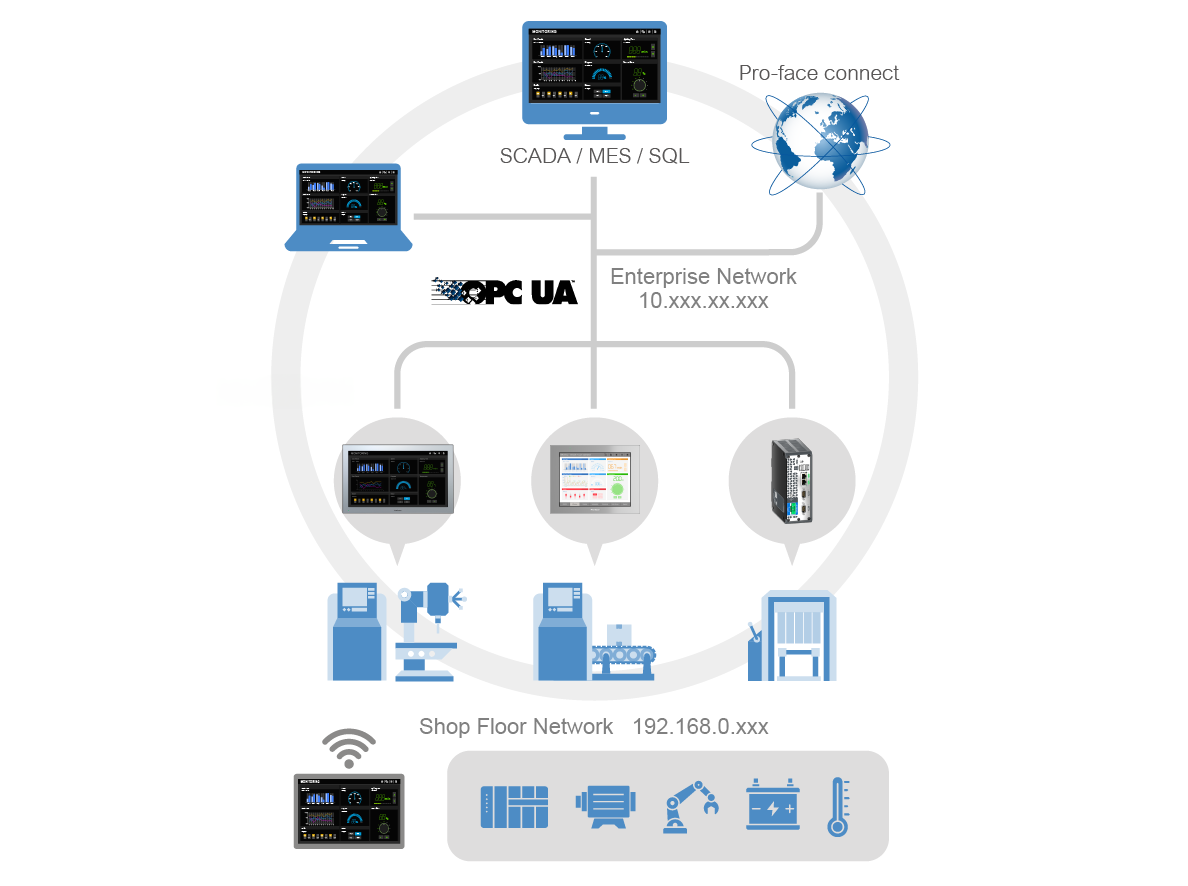
OPC UA Server & Client – Secure OT/IT Connectivity
Enable standardized, secure communication between shop floor and enterprise systems with GP-Pro EX
- - Share HMI data with SCADA, MES, cloud, and analytics — no proprietary protocols required.
- - Connect to diverse devices, including robot controllers, without custom drivers.
- - Benefit from object-oriented data, multi-platform support, and advanced security.
Operational efficiency and less unplanned downtime
Empower your team with tools that simplify tasks and improve collaboration
Enable quick and accurate troubleshooting with Guidance Feature
Operators can access PDF manuals directly on the HMI screen. Linked to alarms, the relevant manual page opens automatically, ensuring fast and consistent troubleshooting across shifts.
<Real-Time Monitoring (Web Browser)*coming soon >
Quickly access and evaluate the current Work conditions by IP camera, even for areas not visibly accessible.
<Easy Setting and Maintenance (Web Browser)*coming soon >
Access the built-in web server in controllers for setting changes, maintenance, and more.