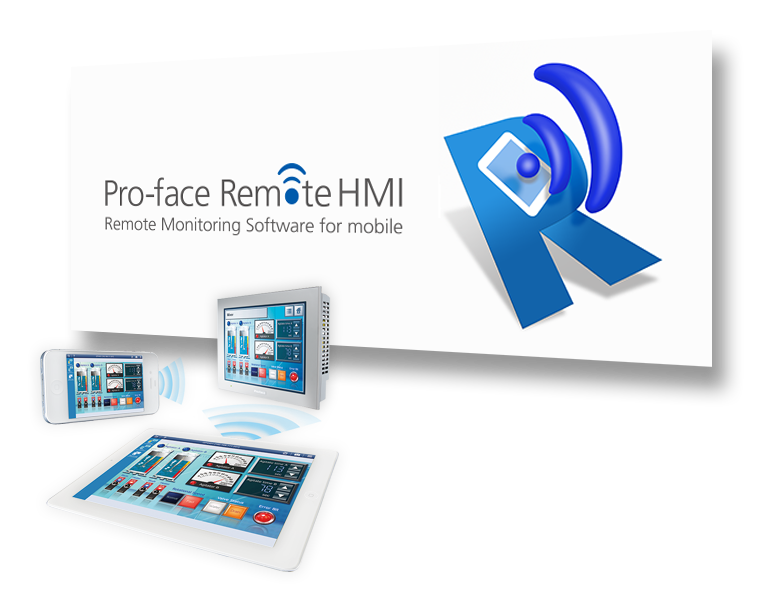
Pro-face Remote HMI

Carry Around HMI.
Monitor Anywhere.

Check machine information, equipment status and alarms from a compatible smartphone or tablet. Pro-face Remote HMI brings supported HMI screens closer to operators on the factory floor.

Pro-faces
Remote Monitoring View equipment information on mobile devices
Alarm Monitoring Identify equipment status and alarms
Remote Operation Interact with compatible HMI screens remotely
Product Overview

Take Your HMI Screen Wherever You Work

Pro-face Remote HMI is remote monitoring software for mobile devices. It allows users to check equipment information through a compatible smartphone or tablet, helping operators monitor machines without always standing directly beside the HMI.

With supported configurations, users can monitor alarms, check operating status and interact with HMI screens. TLS support provides encrypted communication for supported connections.

Talk to Sciengate →
Pro-faces
Pro-face Remote HMI Features

Features Designed for Mobile HMI Access

Explore the functions described on the official Pro-face product page, including mobile monitoring, operation modes, alarms and connection security.

01
MONITORING

Monitor Equipment & Alarms

Check the status of supported equipment and move between registered HMI screens from a compatible mobile device.

  • Alarm Monitor Function: View HMI status and identify alarms.
  • Alarm Notifications: Receive supported alarm messages on the device.
  • Screen Shortcut: Register machine images or text to switch between screens.
  • Auto Start: Display a specified screen at startup where supported.
  • Mobile Functions: Use pinch and slide interactions for screen viewing and operation, subject to touch-operation settings.
02
OPERATION

Flexible Remote Operation

Access HMI screens remotely with operating modes and touch controls designed to support different monitoring and operation scenarios.

  • Synchronous Mode: The HMI and remote device display the same screen.
  • Asynchronous Mode: The devices can display different screens and operate independently.
  • Exclusive Touch Operation: Help prevent conflicting touch operations.
  • Remote Status Icon: Show connection and touch-control status on the local HMI.
  • Deep Link: Open the Remote HMI application through supported links, QR codes, emails or SMS.
03
CONNECTIVITY & SECURITY

Secure Connections & Server Access

Extend remote access to supported Windows applications with Pro-face Remote HMI and its available connection controls.

  • TLS Support: Encrypt supported communication.
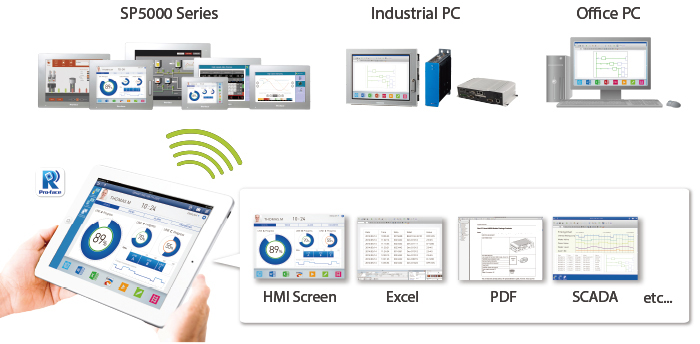
  • Windows Application Access: View and operate supported applications such as Excel and PDF through Remote HMI.
  • Simultaneous Monitoring: Multiple supported smart devices can access different views and applications.
  • Customized Views: Distribute custom-designed areas alongside standard desktop or program views.
  • User Management: Restrict server access to selected smart devices.

Feature availability may depend on the HMI model, GP-Pro EX version, client operating system and Remote HMI configuration. Refer to the official compatibility documentation before implementation.

Applications

Where Can Pro-face Remote HMI Be Used?

Based on the applications presented by Pro-face, Remote HMI supports different monitoring and operation needs across industrial environments.

01

Monitoring Large or Long Equipment

Monitor and operate suitable large-scale or long-distance equipment from remote positions, helping reduce the need for several operators to move between distant machine locations.

02

Save Time with Remote Troubleshooting

Check alarm causes using a mobile device and assess whether a machine can return to operation without first travelling to the equipment. Supported Windows software can also be accessed through Remote HMI.

03

Monitor Machines on the Factory Floor

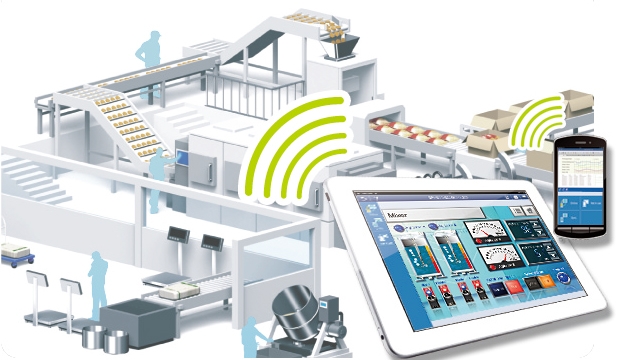
Check equipment alarms, operating status and other information using a smartphone or tablet while moving around the production area.

04

Wireless Andon System

Use a PC-based alarm display for a wireless Andon application. The official example highlights reduced installation work and implementation without PLC programming for the described setup.

05

Multi-client Function

Allow multiple compatible clients to monitor equipment from different viewpoints, supporting simultaneous monitoring where the system configuration permits.

06

Picking & Utility Inspection

Use standard mobile devices with flexible interfaces for mobile tasks such as picking and utility inspections to help streamline workflows.

07

Mobilise Existing Control Systems

Use Pro-face Remote HMI to access supported applications associated with existing control systems without modifying or updating the control system itself, subject to compatibility.

Remote HMI

Extend Access to Windows-based Applications

Pro-face Remote HMI is a Windows application that connects a PC or industrial PC with compatible Pro-face Remote HMI clients. It can provide remote access to supported Windows applications, including Excel and PDF.

Its published functions include simultaneous monitoring of different applications, customized views and user management.

  • View and operate supported Windows applications remotely.
  • Provide different views to multiple supported mobile clients.
  • Use customized views to guide users to relevant information.
  • Restrict access to selected smart devices using supported user management.
View Official Features ↗

Windows Application Access

Connect compatible PCs or IPCs and access supported Windows software through a Remote HMI client.

Simultaneous Monitoring

Distribute different application views to multiple supported smart devices.

Customized Views

Present selected application areas to improve user guidance.

User Management

Restrict access to selected devices for supported server connections.

Existing Systems

Support remote access to compatible applications without modifying the underlying control system, where applicable.

Industrial Applications

More Visibility Across Your Factory

From checking a distant machine to reviewing an alarm while moving around the factory, Remote HMI gives authorised users another way to access supported equipment information.

Actual remote operation should follow the site’s safety procedures. Check equipment status and maintain safe operating conditions before issuing any remote command.

Discuss Your Requirements →
Pro-faces
Frequently Asked Questions

Remote HMI FAQs

Common questions about the functions and applications of Pro-face Remote HMI.

What is Pro-face Remote HMI?

It is remote monitoring software that allows users to view equipment information on compatible smartphones or tablets and remotely interact with supported HMI screens.

What are the main features of Remote HMI?

The official page describes TLS support, synchronous and asynchronous operation modes, alarm monitoring, auto start, alarm notifications, exclusive touch operation, remote status icons, screen shortcuts, mobile functions and deep links. Remote HMI adds Windows application access, simultaneous monitoring, customized views and user management.

Can Remote HMI help with troubleshooting?

Yes. The official application examples describe checking alarm causes from a mobile device and assessing whether a machine can return to operation without first going on site, subject to the system setup and applicable safety procedures.

Can Remote HMI be used for Wireless Andon?

Pro-face lists a Wireless Andon System as an application. The published example describes a PC-based alarm display with reduced installation work and no PLC programming for that setup.

Can multiple devices monitor equipment simultaneously?

Multiple supported clients can access different views or applications through compatible configurations. Confirm the exact capability and limits against the relevant software version and product documentation.

Is TLS supported?

Yes. The official product page lists TLS support for encrypted communication. The complete deployment still needs appropriate network configuration and access controls.

How do I confirm compatibility with my HMI?

Compatibility depends on the HMI model, GP-Pro EX version, client platform and required software. Contact Sciengate Automation to review your equipment and intended application.

Sciengate Automation (M) Sdn Bhd

Bring Remote Monitoring to Your Factory

Need help identifying a suitable Pro-face Remote HMI configuration for your equipment? Discuss your application and requirements with our team.

Enquire About Remote HMI →